In the journey of completing the Master Research, back-up file, journal, paper and other supporting documents is very crucial to a researcher like me. IF the laptop/Computer happen to go into fatal error... then you are dead; if your documents were not copy/backup in other storage. So, one of the native storage method is hard-copy (which safe, bold but might cause messiness and not an Eco-friendly way). The alternative methods is copy the document to the external storage like external hard drive or USB.
However, i still not feel very safe yet. What IF the storage corrupted or crash?? So, i take full advantage of the Cloud Technology that been introduce few years back. I had been using
DropBox for quite some time actually, But is problem here is i have to wait quite long time for the software to sync the content for the first time (since i had put almost everything related to my research there.)
So, i end up exploring other cloud drive that provided FREE to user and i found quite many BUT this two catch my eye.
1. Google Drive Keep everything. Share anything.
Access everywhere.
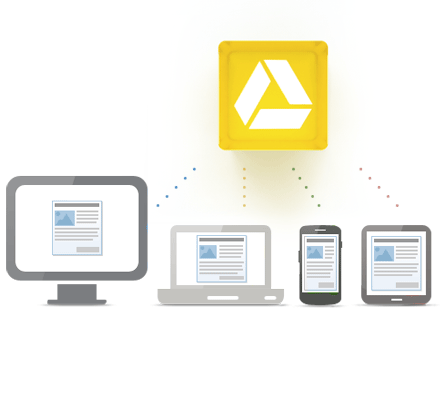
Google Drive is everywhere you are—on the web, in your home, at the office and on the go. So wherever you are, your stuff is just...there. Ready to go, ready to share. Get started with 5 GB free.
Google Drive is available for:
- iPhone and iPad (coming soon)
Go beyond storage. Collaborate.
Google Drive lets you do more than just store your files. Share files with exactly who you want and edit them together, from any device.
Google Drive gives you instant access to Google Docs, a suite of editing tools that makes working together better—even when your teammates are miles away.
Basically, i don't care what they say. But, one thing is like with Google Drive is they seem to be load & sync faster even in slow connection (which always happen to me.). Beside that i can share and collaborate my documents with others friends that have Google account.
So, i am happy with Google Drive. :)
2. Sky Drive
Introducing the new SkyDrive
 Think about all of the different devices you use every day. Wouldn't it be nice if your files came with you,
whether you're on your phone, Mac, or PC?
When you use SkyDrive, you'll never be without the documents, notes, photos, and videos that matter to you. Store anything on your SkyDrive and it's automatically available from your trusted devices—no syncing or cables needed.
Compare
|
|
|
|
|
Cloud storage
|
|
|
|
Windows
|
|
|
|
Mac
|
|
|
|
Web
|
|
|
|
Remote access
|
|
|
|
|
|
|
|
|
iPhone and iPad
|
|
|
|
Windows Phone
|
|
|
|
Android
|
**
|
|
|
Mobile web
|
|
|
|
|
|
|
|
|
|
|
|
|
|
View and edit online for free
|
|
|
|
Edit online at the same time as others
|
|
|
|
Track versions
|
|
|
|
|
|
|
|
|
Free note-taking apps for your phone
|
|
|
|
|
|
|
|
|
Online slide shows
|
|
***
|
|
Email slide shows
|
|
***
|
|
Post to Facebook and Twitter
|
|
|
|
Captions
|
|
***
|
|
Show geotags
|
|
***
|
|
|
|
|
|
|
Share with anyone
|
|
|
|
Online viewing for Office files
|
|
|
|
Large file support (free)
|
|
|
|
|
|
|
|
|
Add 20 GB
|
|
|
|
Add 50 GB
|
|
|
|
Add 100 GB
|
|
|
|
|
SkyDrive
|
Google Drive
|
Dropbox
|
|
***Google Drive is focused on document storage. Google offers separate products—Google+ and Picasa—for photo storage and sharing. (Source by
Microsoft SkyDrive)
So What say you... Google Drive or SkyDrive?


